Explore, analyze and connect your DWG files with official maps
DWGExplorer brings advanced drawing exploration, WMS, SHP and GML workflows, and real time tracking per project together in a single interface. Less manual work and more control over every drawing.
30-day free trial · No commitment · Then €199 for a perpetual license.
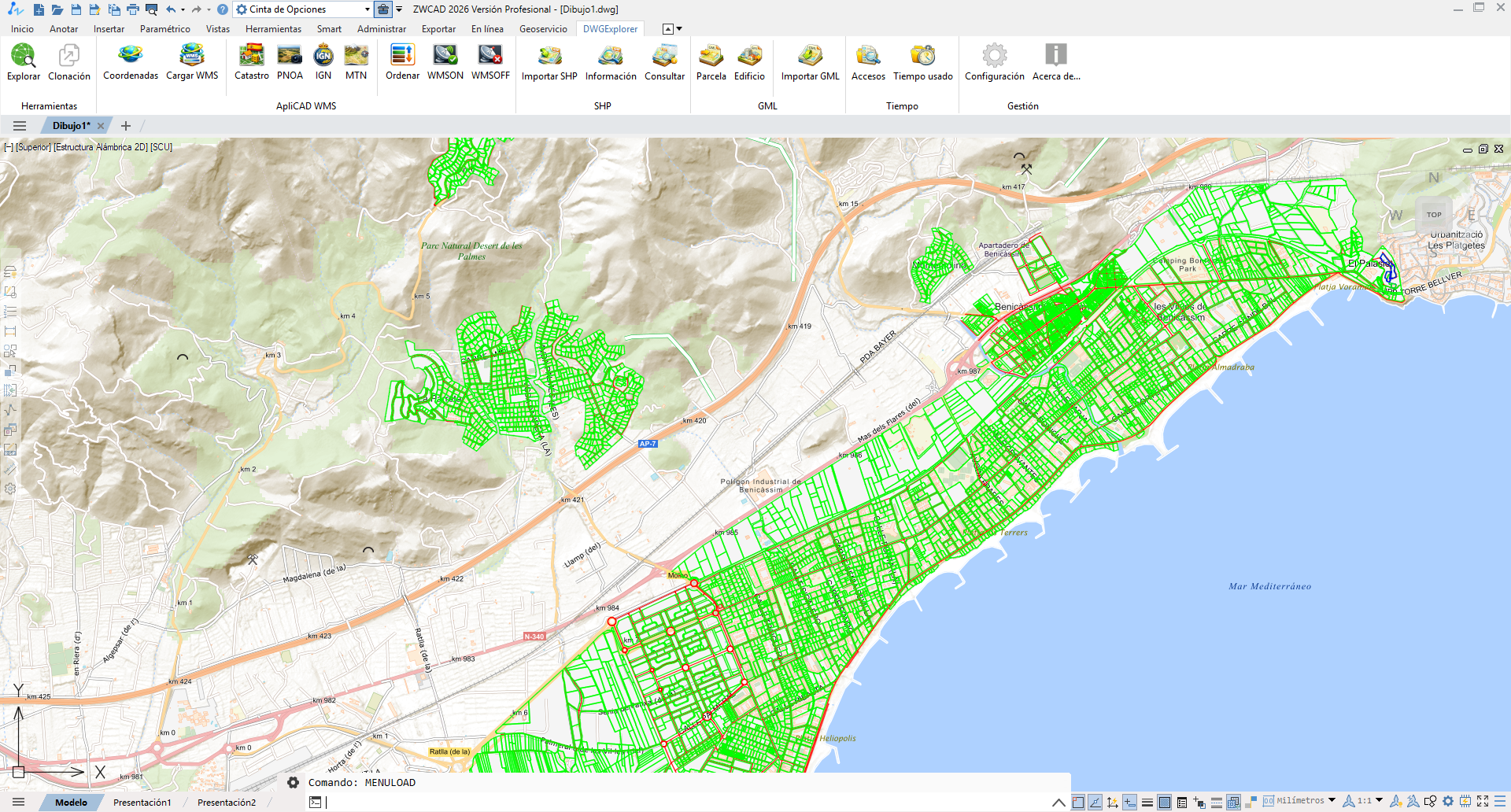
DWG productivity, GIS/mapping and time management in a single plugin
A complete tool for CAD teams that need technical analysis, territorial context and control over their working time.
DWG productivity
Explore objects, filter by layer, type or attribute, navigate complex selections and act on hundreds of elements quickly.
GIS & mapping
Load WMS layers, orthophotos and official maps; import SHP files and work with cadastral GML without leaving your CAD.
Time management
Record and analyze the time spent on each project, file or task directly from your CAD, with no external tools.
Go straight to the DWGExplorer features you need for the job
Explore the drawing content
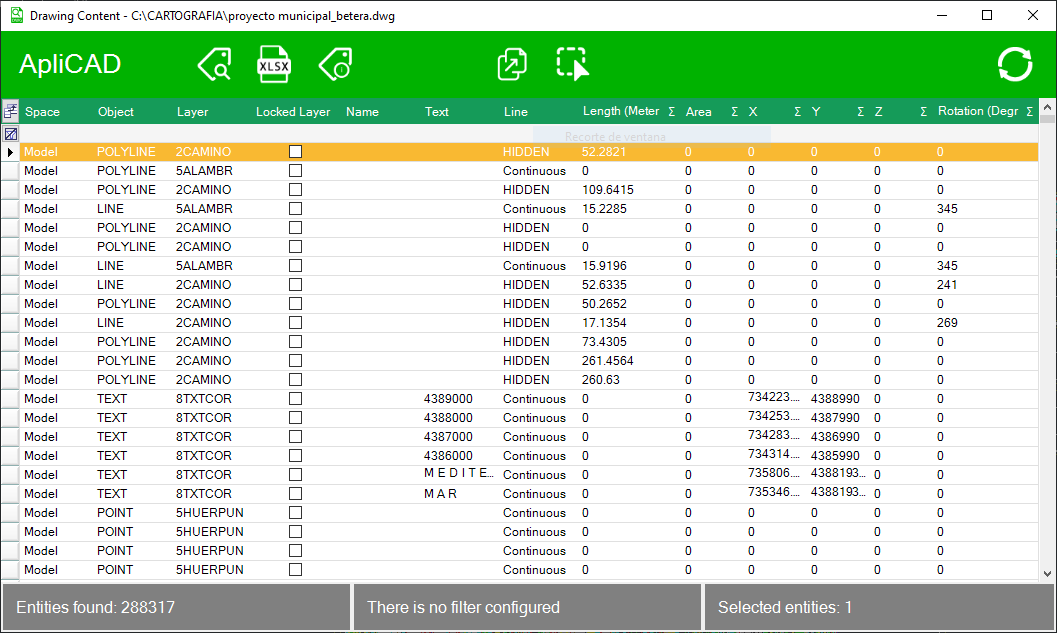
Complete entity table, attributes, filter by selection, copy, delete, clone and controlled export to Excel.
Using WMS services
Coordinate systems, WMS loading, Cadastre, PNOA, IGN, MTN and layer control for live maps inside the drawing.
Using SHP files
Shapefile import with attributes, entity queries and reuse of geospatial data within the project.
GML generation and import
Technical workflow for parcels and buildings, with georeferenced insertion and preparation for cadastral exchange.
Usage time management
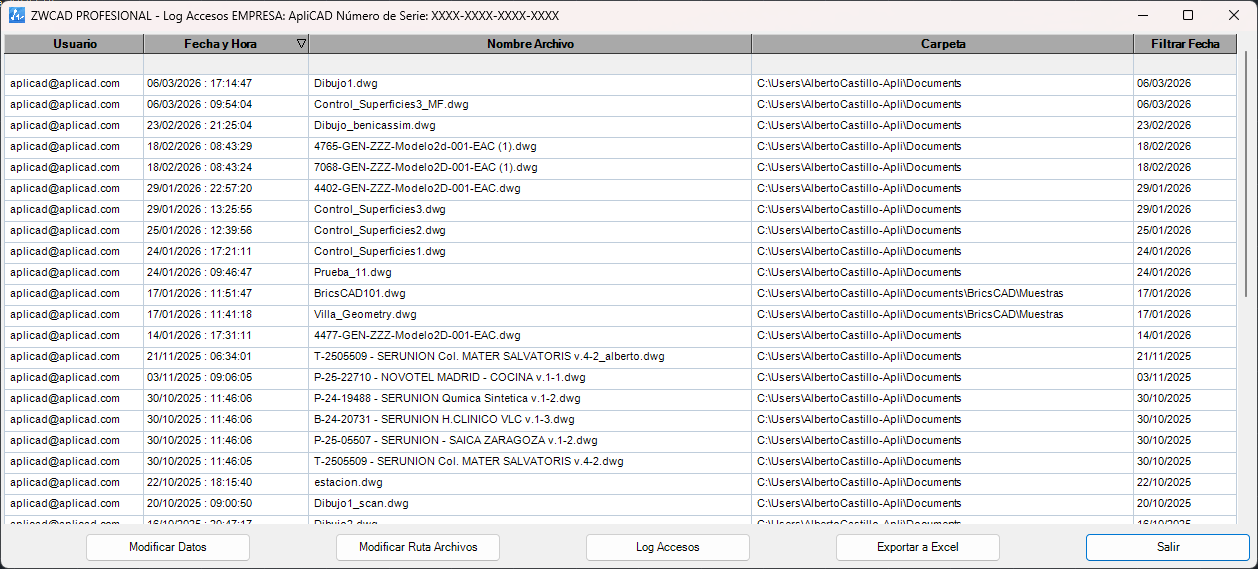
DWG search, access log, time per active file, summaries and Excel export for project control.
Complete use cases for working better with DWG files, maps and projects
Review thousands of entities with a table built for quick decisions
Explore the whole drawing, filter by any column, show block attributes, select from the drawing and zoom or focus precisely on each object.
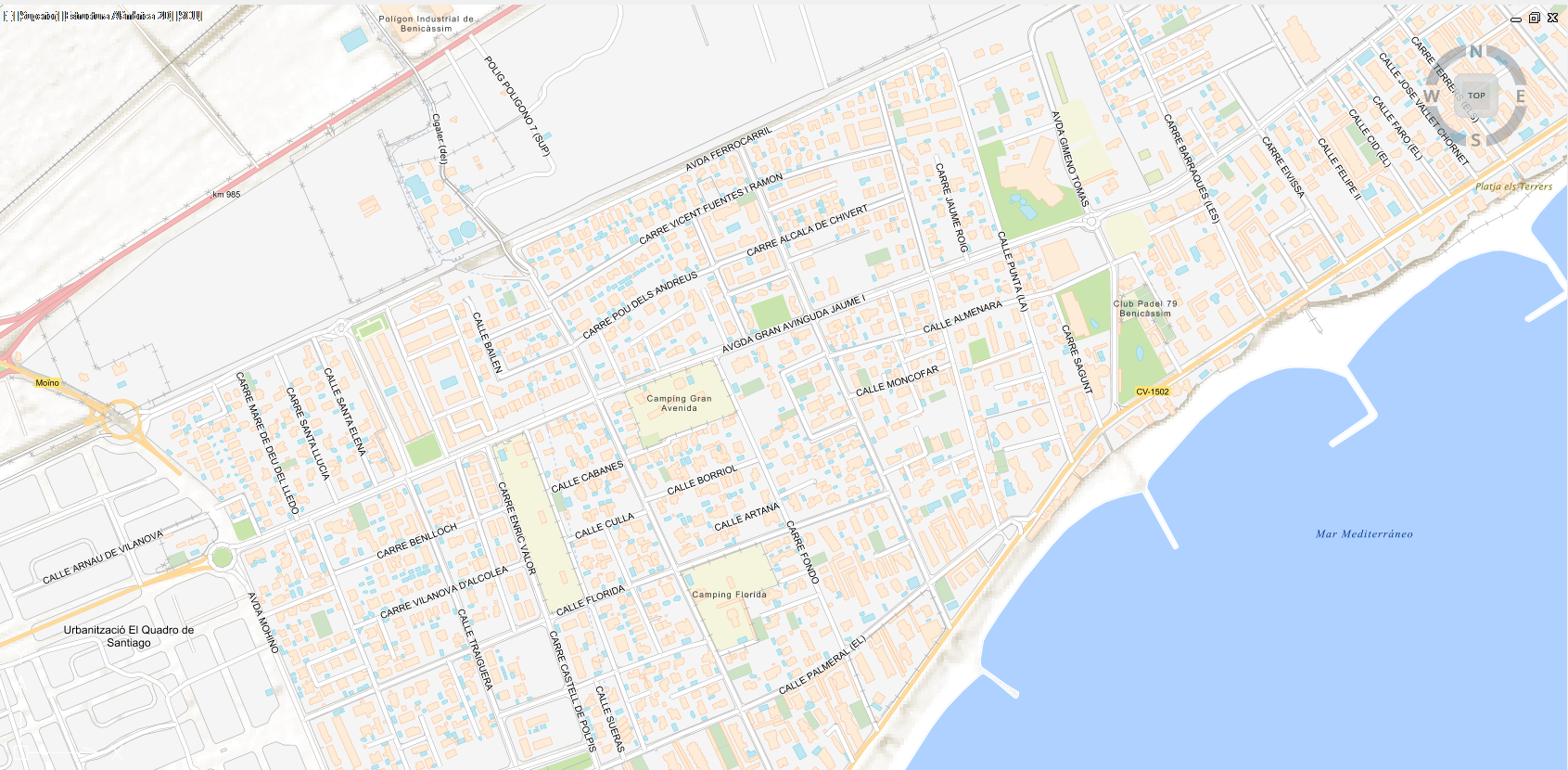
Add territorial context without leaving your CAD environment
Set coordinates, load WMS layers and overlay Cadastre, PNOA or IGN maps to check location, parcels and references on the drawing itself.
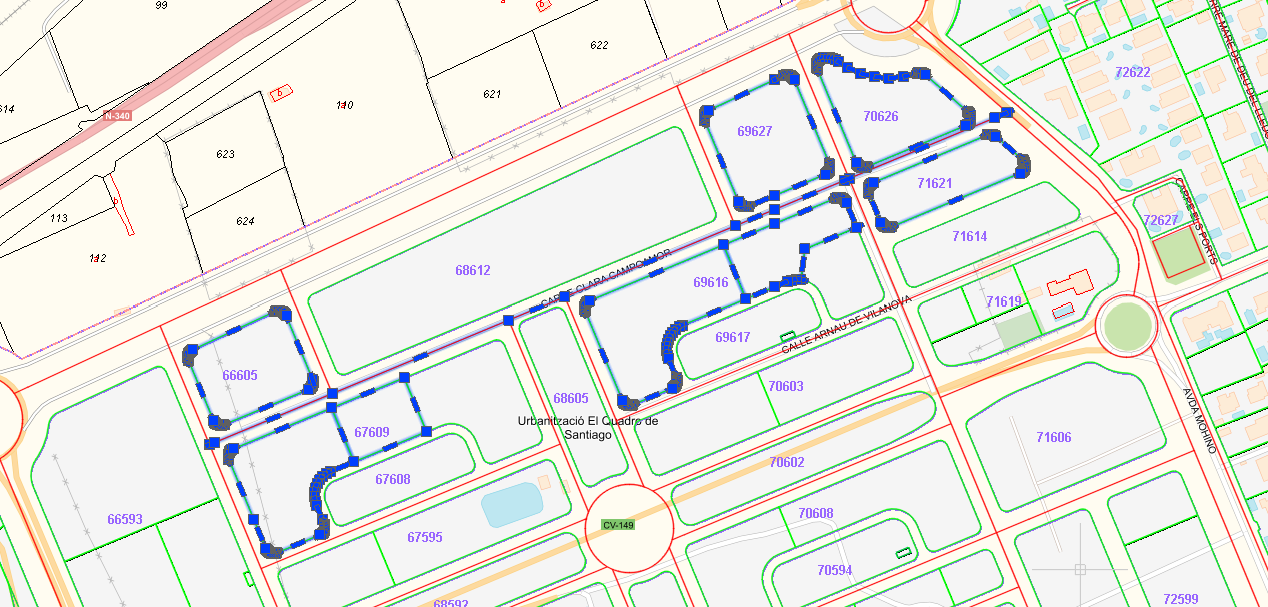
Exchange geospatial data without redoing work by hand
Import shapefiles with attributes, query imported entities and generate cadastral GML for parcels or buildings within the same technical workflow.
Find DWG files and measure real working time per project
Locate files in large folder structures, open the right drawing instantly and export times and logs to Excel. A highly valuable management layer for firms and technical teams.
One perpetual license for the entire DWGExplorer platform
The license includes DWG productivity, GIS and mapping, geospatial import, time tracking and configuration.
DWGExplorer
One-time payment · All features included
Download the installer, try the complete workflow for 30 days and activate your perpetual license when you're ready.
Compatible with ZWCAD, AutoCAD and BricsCAD
The ApliCAD downloads area hosts every installer, so each user downloads the package for their CAD program and version: ZWCAD 2025 and 2026, AutoCAD 2025, 2026 and 2027, and BricsCAD 2026.

Versions 2025 and 2026 · License managed centrally by ApliCAD

Versions 2025, 2026 and 2027 · License managed centrally by ApliCAD

Version 2026 · License managed centrally by ApliCAD
Get answers to the key questions before you try DWGExplorer
Can DWGExplorer be used to work with maps?
Yes. Besides making it easier to analyze and find the different elements in your DWG files, it also lets you bring WMS maps from the Cadastre, PNOA, IGN and MTN into your projects, and import SHP files and Cadastre GML.
What does the €199 license include?
It includes all the features shown on the website: DWG productivity, GIS/mapping, geospatial import, Excel export, project management, configuration and access to license information.
Can I work with official maps inside the drawing?
Yes. The user guide covers using WMS services, shortcuts for the Cadastre and PNOA, and combining different layers with control over their order and visibility.
Does the free trial have any limitations?
It is offered as a full 30-day trial so you can evaluate the real workflow before activating the perpetual license.
Can it measure time per file or per project?
Yes. The management module records when a document is opened, closed and in focus, and lets you summarize times by date and by project folder.
Which geospatial formats can I import with DWGExplorer?
It supports importing SHP (shapefile) files with their attribute data and importing Cadastre GML. The data is integrated into the active drawing and available for querying and filtering from the panel itself.
Can I generate a parcel or building GML from my drawing?
Yes. DWGExplorer includes a cadastral GML generation workflow for parcels and buildings, with an automatically suggested file name and georeferenced insertion ready to be checked against WMS maps.
Can I use the block properties tables of AutoCAD dynamic blocks in ZWCAD?
Yes. ZWCAD keeps the properties table of dynamic blocks created in AutoCAD, but it does not let you use it. DWGExplorer for ZWCAD, from version 1.1.1, opens it from the block's shortcut menu and applies the row you choose: visibility state, dynamic parameters and attributes. In AutoCAD and BricsCAD this feature is already built in.
Start working with DWG files, maps and project tracking from a single tool
Download DWGExplorer, install it in minutes and try the complete analysis, GIS and reporting workflow for 30 days.
No credit card · Activation managed centrally by ApliCAD · Then €199 for a perpetual license.