Installation and license
You can get the latest version of the program from the ApliCAD downloads area.
If you are not yet registered on the downloads portal, you will need to sign up before downloading the application.
Signing up in the downloads area
Section titled “Signing up in the downloads area”Use the Registro (Sign up) button at the top of the screen:

The sign-up screen shows the following fields:
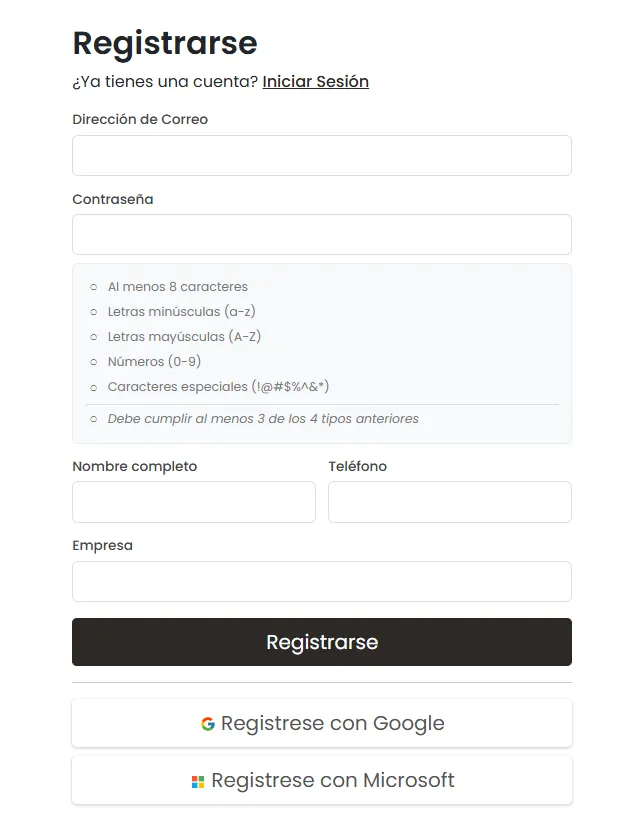
You can access the system with an email address and a password, or by using the Google or Microsoft authentication services, which simplifies signing up and logging in.
In either case, when you sign up for the first time, you need to complete these additional verification steps:
-
Look in your email program for a message sent from Aplicad Downloads
no-reply@auth0user.net. -
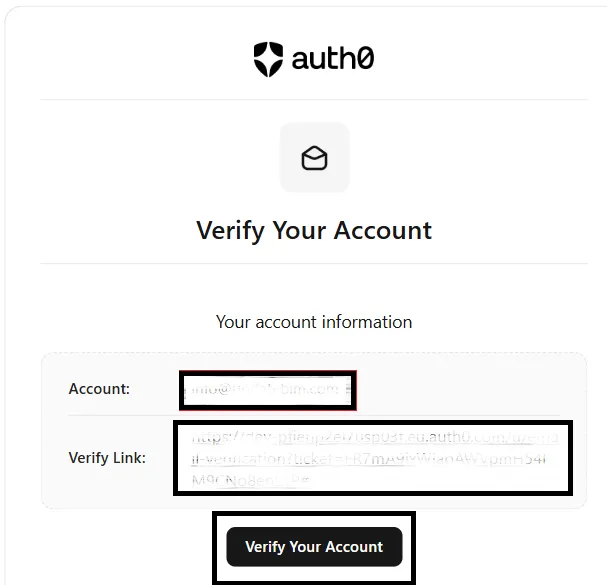
Open that email and confirm your registration by following the instructions in the message. The verification email may look similar to this:
-
Click the “Verify Your Account” button in the message to confirm your email address.
Once this verification is done, the next step is to link your email account to your ApliCAD downloads profile, which enables access to the available content.
When the process has been completed successfully, you will be able to access the ApliCAD downloads page and all the applications and resources available to you.
Activating your license
Section titled “Activating your license”Your license is activated as soon as you receive an email confirming that it is ready to use.
Once activated, the license is enabled automatically, so no additional steps are needed inside the program. To access it, use the same email address and password you used on the ApliCAD downloads page.